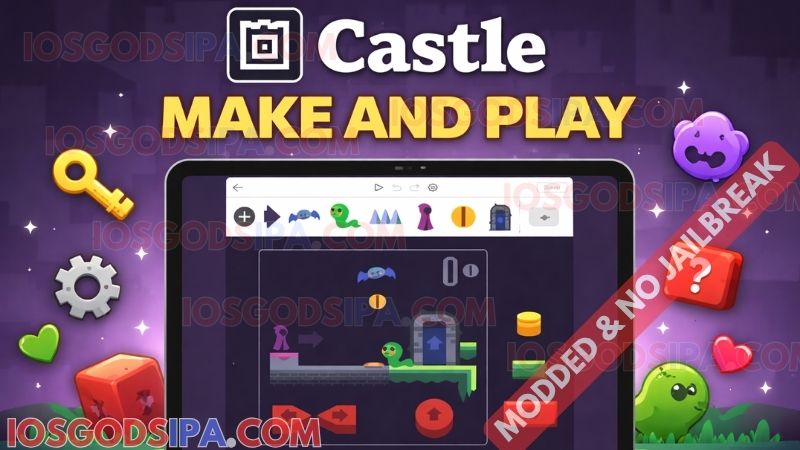
Castle – Make and Play is a free iPhone app that lets you build small games — actual playable games, not just sketches — directly on your phone, no laptop required. It’s free on the App Store, has zero ads in the feed, and there’s already a big creator community making everything from platformers to interactive comics. Here’s how to get set up and ship your first deck.
What is the Castle app on iOS?
Castle – Make and Play is a creative app from Monterey’s Coast, Inc. that combines a touch-based game editor with a TikTok-style social feed. You make tiny games on your phone, post them, and other users play, comment, and remix what you’ve built.
The vibe is simple: open the app, scroll through what other people have made, and when something looks fun, hit Remix to get a private editable copy you can mess with. That same loop runs in reverse when you publish — your deck shows up in the public feed, and anyone with a Castle account can play it.
If you’ve ever used Scratch on a school computer, or scrolled TikTok for an hour without realizing it, Castle will feel familiar. It’s basically what you’d get if those two ideas got smashed into a single mobile app.
Is this the same “Castle app” people use to stream movies?
There’s a separate third-party “Castle” app floating around for streaming movies and TV that isn’t on the App Store and isn’t related to this one. The app this guide covers is the legitimate App Store app from Monterey’s Coast – different developer, different purpose, different download path.
Is Castle worth installing on your iPhone?
- Free download, free to publish. No paywall between you and the creator tools.
- Zero ads in the feed. Apple’s listing confirms it, and it stays true after a few hours of scrolling.
- The editor is more powerful than it looks. You get drawing, physics, logic, and sound, all touch-driven, no keyboard required.
- Real-time multiplayer. A recent update added the ability to build multiplayer decks where multiple people interact in the same scene.
- Web playback. Your friends don’t need the app to try your game; every deck has a public web URL.
- Active community. Apple’s own description claims thousands of new decks per day.
How to download Castle on iOS
- Open the App Store on your iPhone or iPad.
- Search for Castle Make and Play. Don’t just type “Castle,” because that returns dozens of unrelated games.
- Confirm the developer is listed as Monterey’s Coast, Inc. before you tap Get. That’s how you know you’ve got the right app.
- Authenticate with Face ID, Touch ID, or your Apple ID password.
- Wait for the ~74 MB download to finish.
- Open the app, create an account with email and a username, and you’re in.
Key Features of the Castle IPA
Decks: your projects
A deck is the container for everything you make: art, logic, sound, the lot. Most decks are a single card; bigger decks (like multi-level games) have several stitched together.
Cards: individual scenes or screens
Each card is a separate scene inside a deck. Level 1 of your platformer is one card; the boss fight is another. You move the player between cards using rules.
Actors: the things that move and react
Players, balls, doors, coins, enemies, falling rocks: anything that does something on a card is an actor.
Blueprints: recipes for actors
A blueprint is a template for an actor. You design a “Coin” blueprint once, with its art and behavior, then drop ten coin actors into your scene from that one blueprint. Edit the blueprint and all ten coins update.
Kits: pre-made starter packs
Kits are bundles of art and blueprints that skip the from-scratch problem. The Meadowland kit ships with a character, terrain, and props ready to use, which is exactly why most beginners start there.
Rules: the “when this happens, do that” logic
Castle’s logic system is a chain of triggers and responses. A trigger like “when this collides with the player” pairs with responses like “destroy this actor, play sound, add 1 to score.” Stack a few rules together and you’ve got a working game loop.
The Belt: where your blueprints live
The Belt is the strip at the bottom of the editor. Anything in your Belt can be dragged into the scene. Custom blueprints are reusable, so the Belt becomes your personal library as you build more.
How to make your first deck in about 5 minutes
- Tap the Create tab, then ✧ New Deck at the top right.
- Pick the Meadowland kit, because it gives you a working scene right away so you can mess with it instead of staring at a blank canvas.
- Drag the character to a new spot, press the ▶ play button at the top, and watch it actually run around.
- Add a new blueprint by tapping the ⊕ button on the Belt, and call it “Growth Potion.”
- Draw the potion with the built-in drawing tool, or import an image and clean it up.
- Place a few potions in the scene by dragging them from the Belt.
- Add a Rule to the potion blueprint: when this collides with the Character, destroy this actor and tell the character to grow bigger.
- Press play. Your character should now grow when it picks up a potion.
- Save and tap Publish to push your deck to the public feed.
That’s it. You’ve shipped a game. The official Castle Wiki has a longer version of this walkthrough that adds physics, controls, and a proper level. The Castle Academy YouTube series is also worth queuing up if you’d rather watch than read.
What can you actually build with Castle?
- Side-scrolling platformers. The classic Mario-style starter. The action-platformer kit gets you 80% of the way there before you write a single rule.
- Top-down adventures. Zelda-lite: walk around, collect items, talk to non-player characters, hit enemies.
- Puzzle decks. Often single-card, often physics-driven. Drop a marble, knock over a domino, hit a switch.
- Animations and motion comics. Non-game decks that just loop or auto-play through a scene. Castle is a genuinely competent animation tool.
- Interactive art. Toy-like decks where the user just messes around with whatever’s on screen.
- Multi-card narrative games. Branching choose-your-own-adventure decks where each “page” is a card and rules send the player between them.
- Multiplayer rooms. The newest category, after real-time multiplayer landed in a recent update. Party games and social hangouts.
Tips and tricks active Castle creators actually use
These come from skimming hundreds of App Store reviews, the #castlemakeandplay TikTok feed, and the official Discord. The patterns repeat:
- Save constantly. Decks have been lost to crashes; Castle autosaves, but a manual save is the safer move, especially after big logic changes.
- Learn by remixing. Tap Share, then Remix on any public deck and you get a private editable copy on your profile. Opening someone else’s good deck is the fastest way to learn how rules and blueprints fit together.
- Use Persistent Variables for progress. They’re how creators track score, level, lives, or save state between plays. Without them, every play resets.
- Lean on the Belt. Build one solid “Coin” blueprint, then drop it everywhere. The Belt is your reusable library; treat it that way.
- Mute tags that clutter your feed. The explore tab has tag controls. If you’re tired of seeing certain content, mute the tag.
- When something breaks, hit the Discord first. The official Castle Discord is usually faster than email support, and the wiki at wiki.castle.xyz is searchable for the common questions.
Castle vs Scratch vs Roblox Studio vs Fancade
If you’re weighing your options, here’s how Castle stacks up against the obvious neighbors:
| App | Platform | Best for | Touch-first? |
| Castle – Make and Play | iOS, Android, web (play only) | Mobile creators who want both editor and social feed | ✅ |
| Scratch | Web, desktop | Younger learners, classroom use | ❌ |
| Roblox Studio | Desktop only | Aspiring 3D devs willing to learn Lua | ❌ |
| Fancade | iOS, Android | Bite-size puzzles and physics toys | ✅ |
| GDevelop | Web, desktop, mobile | Bigger 2D game projects, no-code | partial |
The shortest version: Castle hits a niche none of these quite cover, fully on your phone, social feed attached, designed for “make and post” pacing rather than long-haul project work.
Common questions that come up after you start using Castle
A few things that aren’t obvious until you’re actually using the app.
Is Castle safe for kids?
The App Store age rating is 13+, with Apple flagging cartoon and fantasy violence, mild profanity, and the general user-generated-content disclaimer. Castle does have published community guidelines and a reporting flow, but parents should still treat it as moderated social media, not a walled garden.
What are bricks and Dweller?
Bricks are Castle’s in-app currency, used to boost your decks’ reach in the feed. Packs sell for $0.99, $4.99, and $9.99. Dweller and Dweller+ are subscription tiers ($3.99 and $7.99) for premium profile customization, like custom avatar frames. Important: creating and sharing decks never requires an in-app purchase.
Can someone play my deck if they don’t have the app?
Yes. Every public deck has its own URL that plays in any modern web browser. Anyone with the link can try it; they just can’t create or remix without the mobile app.
My deck crashed. Did I lose it?
If you’ve pressed Save at least once, the deck is on your profile in the cloud. Castle also has a deck-recovery flow per the official wiki, so start there before you assume the worst.