Plants vs Zombies Fusion IPA puts 470+ hybrid plant combinations in your pocket, running natively on iPhone and iPad without a single jailbreak. This fan-made edition reinvents the classic tower-defense formula in ways the official EA game never attempted, and getting it onto your iOS device takes under ten minutes with the right method.
Download Plants vs Zombies Fusion IPA (Latest Version, Mod Unlimited Suns, Menu) and start this challenging and fresh battle right away with the MOD IPA version or the original IPA file shared for free by iOSGods in this article.
Features of Plants vs Zombies: Fusion IPA MODDED
- Unlimited Suns
- All levels unlocked
- No Skill CD
Note: You can still download the original PvZ Fusion IPA unmodified using the link at the end of this article, but it will not have any additional modding features.
What is Plants vs Zombies Fusion IPA?
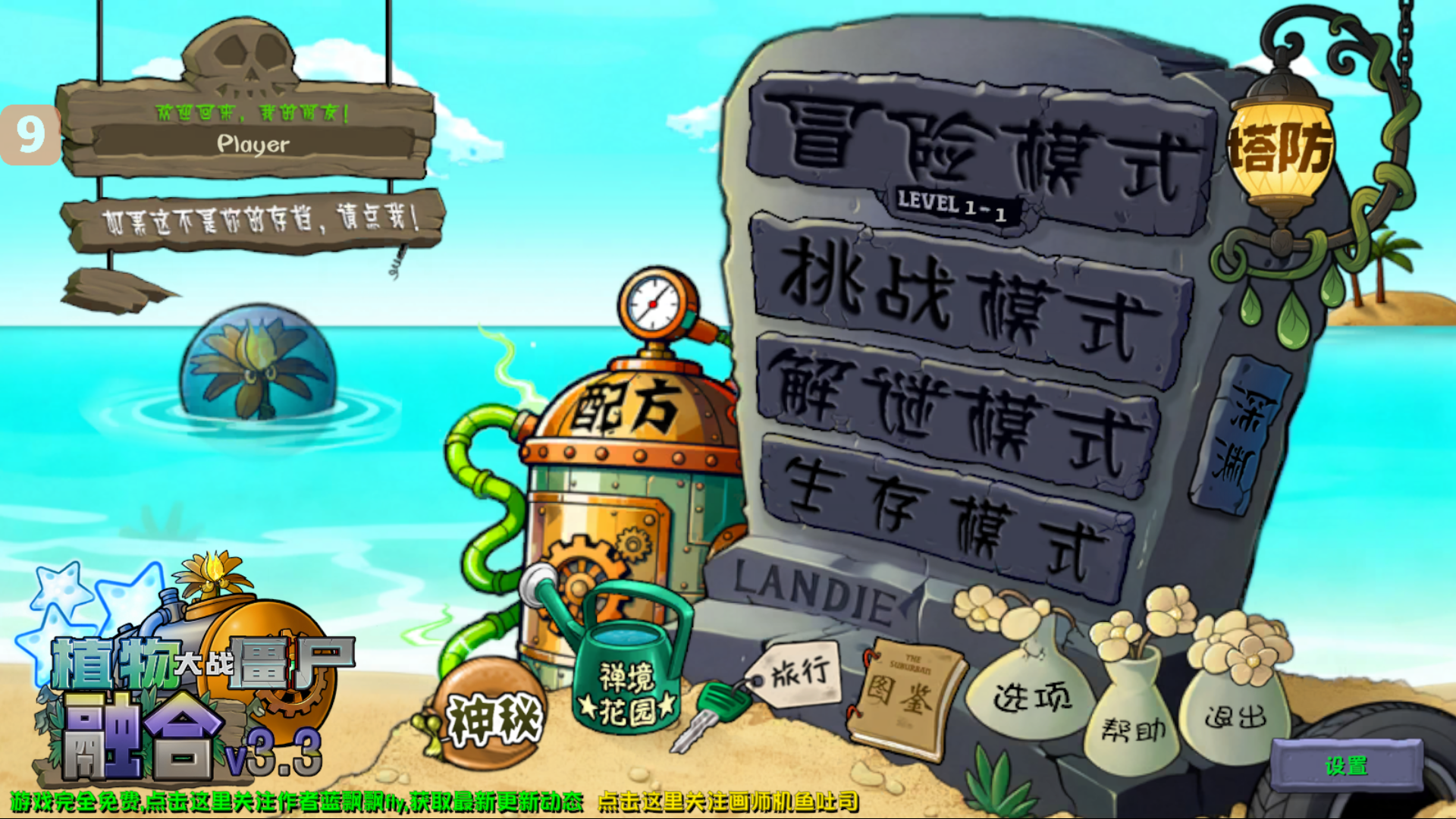
Plants vs Zombies Fusion IPA is the iOS-compatible installation file for PvZ Fusion, a fan-made tower-defense game that lets players combine plants into powerful hybrids to defend against increasingly dangerous zombie waves. Because PvZ Fusion is not listed on Apple’s App Store, the IPA file is the only way to get the game running on an iPhone or iPad. You download it, sign it with a sideloading tool, and install it directly onto your device, no App Store approval required.

Who created PvZ Fusion?
PvZ Fusion was created by LanPiaoPiaoFly, an independent Chinese developer who shared the game through Bilibili, a major video platform popular among gaming communities in China. The project has no affiliation with Electronic Arts or the original PopCap Games team that built Plants vs Zombies 2. It runs on a private server entirely separate from EA’s infrastructure. That origin matters because it explains why you’ll never find it in the App Store, and also why the community around it moves so quickly. Updates, new plants, and balance changes arrive through community channels rather than corporate release cycles.
What does an IPA file actually do?
An IPA MOD file packages all the game’s code, assets, and resources into a single container your iPhone can read. Normally, Apple only allows IPA files it has reviewed and approved through the App Store. Sideloading tools like AltStore and Sideloadly bypass that restriction by signing the IPA with your own Apple ID credentials, essentially telling iOS that you, the developer, vouched for this file. Your device installs it just like any other app. The signing certificate expires every seven days with a free Apple account (or 365 days with an Apple Developer account), so you’ll occasionally need to resign the file to keep playing.
What are the key features of PvZ Fusion 2026 for iOS?
PvZ Fusion iOS delivers the full fan-made experience: a hybrid plant fusion system with 474 available combinations, new zombie types, expanded game modes, and smooth 60fps performance on compatible iPhones and iPads.
How does the hybrid plant fusion system work?
The fusion mechanic is what separates PvZ Fusion from every other Plants vs Zombies version. According to the PvZ Fusion Wiki, the game offers 474 total fusion combinations as of version 3.5, spread across six tiers: Common, Upgraded, Super, Titan, Odyssey, and Infusible fusions.
The process is straightforward. You place two compatible plants on the grid, and when the fusion conditions are met, they merge into a hybrid that carries abilities from both parents, sometimes gaining entirely new effects in the process. Some of the most effective hybrids to build toward early include:
- Pea-nut (Peashooter + Wall-nut): attacks while absorbing damage, handling two roles from a single grid square.
- Cherryshooter (Peashooter + Cherry Bomb): combines rapid-fire peas with explosive area damage.
- Infernowood: a fire-based fusion effective against armored zombie waves.
- Charm-shroom: uses a charm effect to turn zombies against each other, removing them from your threat list without spending damage output.
- Cherry-bomber and Stygian Kelp: specialized options with high burst potential.
Fusion plants take up the same grid space as a standard plant while performing the combined function of two, which means your lawn becomes significantly more efficient as you unlock higher-tier hybrids.
What new zombie types does PvZ Fusion introduce?
The zombies in PvZ Fusion are not the leisurely shufflers from the original game. New variants carry metal shields, throw projectiles, and move faster than classic zombie types. Boss zombies are a separate category entirely, with health pools substantially higher than standard enemies, forcing you to build specific fusions for the encounter rather than relying on a general defense.
Fusion Exclusive Zombies appear only in this version and include types like Pole Vaulting Dancer, Gold Nested Zombie, and Diamond Nested Zombie. These enemies mirror the hybrid mechanic on the player’s side: just as you combine plants to create something stronger, some of these zombies seem to inherit abilities from multiple classic types.
What game modes are available on iOS?
PvZ Fusion iOS includes several modes beyond the standard Adventure campaign:
Adventure Mode spans multiple chapters with difficulty that increases as you progress through day, night, pool, fog, and rooftop environments. Survival Mode drops endless zombie waves at increasing intensity, testing how long your fusion defense can hold. Puzzle Mode offers 27+ standalone levels where the challenge is often about working with a preset plant selection. Time-Limited Mode and Resource-Scarcity Mode push your strategy under additional constraints, removing the comfort of unlimited sun or open-ended build time.
Five difficulty settings from Easy to Insane let you calibrate the challenge, which makes the game accessible on first install and genuinely difficult at the top setting.
How well does PvZ Fusion run on iPhone and iPad?
On devices running iOS 12.0 or above, PvZ Fusion IPA runs with smooth touch-optimized controls and vibrant visuals that hold up well on modern iPhone screens. The game is adapted for direct touch input, so plant placement and fusion activation feel natural without a controller. Performance varies by device generation, but current iPhones and iPads handle the game without significant lag or frame drops under normal conditions.
Is PvZ Fusion IPA safe to install?
PvZ Fusion IPA is generally safe to install when downloaded from established community sources like iOSGodsipa.com, but the unofficial nature of sideloading introduces risks that are worth understanding before you proceed.
This game was created by an independent developer with a Chinese-origin distribution channel. Multiple community members who have tested the game report no malware or privacy issues in their testing. That said, downloading any unofficial IPA from an unverified source carries real risk, because there is nothing stopping a bad actor from repackaging the game with malicious code added.
The practical way to manage that risk comes down to three things. First, only download the IPA file from sources with established community track records, such as iOSGods (iosgodsipa.com) where active communities would quickly flag anything suspicious.
Second, use a secondary Apple ID rather than your primary account during installation. If Apple flags the sideloaded app, only the secondary account faces consequences. Third, understand that the sideloading tools themselves (AltStore, Sideloadly) are well-documented, open projects with large user bases. They do not touch your data; they only sign the IPA file and push it to your device.
Jailbreaking is not required for any of the methods below. Sideloading on iOS without a jailbreak is supported natively through Apple’s developer certificate system. That means your device’s security protections stay intact.
How do you download and install PvZ Fusion MOD IPA on iPhone?
Installing PvZ Fusion IPA on iPhone requires downloading a trusted IPA file, choosing a sideloading tool, signing the file with your Apple ID, and trusting the developer certificate in Settings.
What do you need before starting?
Before downloading anything, confirm your setup:
- iPhone or iPad running iOS 12.0 or above (iOS 13.0 or above recommended for best compatibility)
- Between 200 MB and 400 MB of free storage, depending on the version
- An Apple ID (a secondary account is recommended to protect your main account)
- For Sideloadly: a PC or Mac with a USB cable
- For AltStore or Scarlet: just your iPhone
Method 1: Install via Sideloadly (most stable, recommended)
Sideloadly is a desktop application for Windows and Mac that signs IPA files and pushes them to your connected iPhone. It is widely used, actively maintained, and the most reliable method for first-time installs.
Step-by-step:
- Download Sideloadly from sideloadly.io on your PC or Mac.
- Download the PvZ Fusion IPA file.
- Connect your iPhone to your computer with a USB cable and open Sideloadly.
- Drag the IPA file into the Sideloadly interface.
- Enter your Apple ID credentials when prompted. Sideloadly uses these to sign the IPA, not to access your account.
- Click Start and wait for the installation to complete (typically two to three minutes).
- On your iPhone, go to Settings, then General, then VPN & Device Management.
- Tap the developer name that appears and select Trust.
The game icon will appear on your home screen and launch normally after you complete step 8.
Method 2: Install via AltStore (wireless after initial setup)
AltStore is an alternative app store that runs a companion app on your PC or Mac and refreshes sideloaded apps automatically over Wi-Fi, handling the seven-day certificate renewal without manual reinstalls.
Step-by-step:
- Install AltStore on your iPhone by following the setup guide at altstore.io. The initial setup requires a PC or Mac connection once.
- Download the PvZ Fusion MOD IPA to your iPhone.
- Open AltStore, tap the + icon (My Apps tab), and locate the IPA file.
- AltStore will sign and install the file using your Apple ID credentials stored in its companion app.
- Go to Settings, General, VPN & Device Management, and trust the developer certificate.
AltStore’s advantage is automatic renewal: as long as your phone and computer are on the same Wi-Fi network, AltStore refreshes your apps in the background before the certificate expires.
Method 3: Install via Scarlet or AppValley (on-device, no PC needed)
For players who do not have easy access to a PC or Mac, on-device third-party app stores like Scarlet and AppValley offer a simpler path. These platforms host pre-signed IPA files you can install directly from Safari on your iPhone, without connecting to a computer.
The tradeoff is that on-device stores occasionally experience downtime or have their certificates revoked by Apple, which can make the app stop opening until the store re-signs its certificate. The process when it works:
- Search for Scarlet or AppValley in Safari and install the store profile when prompted.
- Trust the profile in Settings under VPN & Device Management.
- Search for PvZ Fusion inside the store and tap Install.
- Trust the resulting developer certificate in Settings.
If the app stops opening after an iOS update or a few weeks, the certificate likely expired. Reinstalling through the store resolves it.
What to do after installation: trust the developer certificate
Regardless of which method you use, iOS will refuse to open the game until you manually trust the developer certificate. This is not a sign of a problem; it is Apple’s standard response to any app installed outside the App Store.
Go to Settings, tap General, scroll to VPN & Device Management, tap the developer name listed there, and tap Trust. The game will open normally from that point forward.
What are the best hybrid plant combinations to try first?
Start with Pea-nut for lane control, Cherryshooter for offense, and a sun-generating fusion like Sunflower-Peashooter to keep resources flowing while your hybrid defense scales up.
The fusion system rewards experimentation, but some combinations pull significantly more weight than others in the early and mid-game. Here is a practical breakdown by role:
- For offense, Cherryshooter (Peashooter + Cherry Bomb) delivers reliable area damage that clears packed zombie clusters. Phoenix Threepeater (Ashen Threepeater + Jalapeno) extends that fire damage across three lanes simultaneously, which is useful when you are stretched across a wide defense.
- For defense, Pea-nut (Peashooter + Wall-nut) covers two jobs from one tile and holds a lane while dealing steady damage. Obsidian Nut absorbs heavy hits from boss zombies and shielded variants, giving your offense time to focus fire.
- For sun generation, pairing a Sunflower with an attacking plant creates a hybrid that keeps your economy moving without dedicating a full tile to passive resource generation. Sun generation fusions become more important on higher difficulty settings and in Resource-Scarcity Mode.
- For crowd control, Charm-shroom redirects zombies against each other, effectively neutralizing a lane’s threat without spending any direct damage output. Psychic Shroom plays a similar role with pattern disruption. Use these behind your front-line defense rather than at the front, since they work best once the zombie wave is already slowing down in front of your attackers.
A balanced build for most Adventure Mode chapters combines one attacker, one tank, one crowd-control plant, and one sun generator per lane cluster. As you unlock higher fusion tiers, Titan and Odyssey fusions replace individual pieces with single hybrids that handle multiple roles at once.
How does PvZ Fusion compare to the official Plants vs Zombies games?
PvZ Fusion offers a deeper strategic experience than the official games with its hybrid system and expanded modes, but it requires sideloading and lacks the official support and automatic updates that come with EA’s App Store releases.
The table below covers the practical differences:
| Feature | PvZ Fusion IPA | Plants vs Zombies 2 (Official) |
|---|---|---|
| Cost | Free | Free (with in-app purchases) |
| Available on App Store | No (sideload required) | Yes |
| Hybrid plant system | 474+ combinations | None |
| New zombie types | Fusion-exclusive variants | Standard roster |
| Additional game modes | Time-Limited, Resource-Scarcity, Odyssey, and more | Limited extras |
| Updates | Community-driven via Bilibili | EA-controlled |
| Official support | None | EA customer support |
| Jailbreak required | No | No |
| Developer | Fan-made | Electronic Arts |
FAQ about PvZ Fusion IPA
Is Plants vs Zombies Fusion IPA available on the App Store?
No. Apple’s App Store does not allow fan-made modifications of existing commercial games, so PvZ Fusion is not available there and has not been submitted for review. The only way to play it on iOS is through sideloading an IPA file using the methods described above.
Do you need to jailbreak your iPhone to install PvZ Fusion?
No jailbreak is required. Tools like AltStore, Sideloadly, and Scarlet sideload the app through Apple’s standard developer certificate system, which keeps your device’s security protections fully intact. Jailbreaking would remove iOS security protections and is not necessary for this installation.
What iOS version does PvZ Fusion IPA require?
Most versions of PvZ Fusion IPA are compatible with iOS 12.0 and above. iOS 13.0 or higher is recommended for optimal compatibility and stability. The game also works on iPads running the same OS versions.
Will your Apple ID get banned for installing PvZ Fusion IPA?
Apple does not ban accounts specifically for sideloading fan-made games, but it does occasionally revoke developer certificates used by third-party stores. Using a secondary Apple ID for sideloading keeps your primary account insulated from any issues. Many thousands of players use sideloading regularly without account consequences.
How do you update PvZ Fusion on iOS?
There is no automatic update system for the IPA version. When a new version is released by the developer, you download the updated IPA from your source and reinstall it using the same sideloading method. Your game progress is usually preserved, but it is worth backing up your data before updating.
Is PvZ Fusion iOS the same as the Android version?
The core gameplay, fusion mechanics, and content are identical between iOS and Android versions. The difference is format: Android uses an APK file you install directly, while iOS uses an IPA file that requires a sideloading tool. Performance and touch controls are optimized for each platform separately.
Download Link for iPhone/iPad
| Plants vs Zombies: Fusion IPA Original (latest 2026 version) | Download |
| Plants vs Zombies: Fusion IPA MOD Menu (latest version) | Download |


